



The internet has become a part of everyday life. We use it to work, study, shop, manage money, and stay connected with family and friends. While these activities make life easier, they also create opportunities for cybercriminals to steal personal information, spread malware, or trick people into giving away sensitive data. That is why learning practical cybersecurity tips is no longer optional—it’s an essential life skill.
This guide explains the most effective ways to protect your devices, accounts, and personal information. Whether you are a student, professional, business owner, or casual internet user, these strategies will help you build safer online habits without requiring advanced technical knowledge.
Why Cybersecurity Matters More Than Ever
Every day, millions of phishing emails, fake websites, and malware attacks target internet users around the world. Many successful attacks happen because people unknowingly click suspicious links, reuse passwords, or ignore software updates.
Good security is not about using expensive tools. It starts with smart decisions and consistent habits. Following proven cybersecurity tips significantly reduces the risk of identity theft, financial loss, and unauthorized access to your personal accounts.
Create Strong and Unique Passwords
One of the simplest ways to improve online security is by creating strong passwords. Weak passwords are easy for attackers to guess using automated tools, especially if they contain common words, birthdays, or simple number patterns.
Use a different password for every important account. A strong password should include a mix of uppercase letters, lowercase letters, numbers, and special characters while remaining long enough to resist guessing attacks. Password managers can securely store complex passwords, making it easier to maintain unique credentials across multiple accounts.
Among all cybersecurity tips, using unique passwords for every account provides one of the biggest improvements in personal security.
Turn On Multi-Factor Authentication
Even strong passwords can be stolen through phishing or data breaches. Multi-factor authentication (MFA) adds another layer of protection by requiring a second verification step before anyone can access your account.
This second step may involve a verification app, fingerprint, facial recognition, or a temporary code sent to your device. If someone discovers your password, they still cannot log in without completing this extra verification.
Enable MFA on email accounts, banking services, cloud storage, and social media platforms whenever possible.
Keep Software and Devices Updated
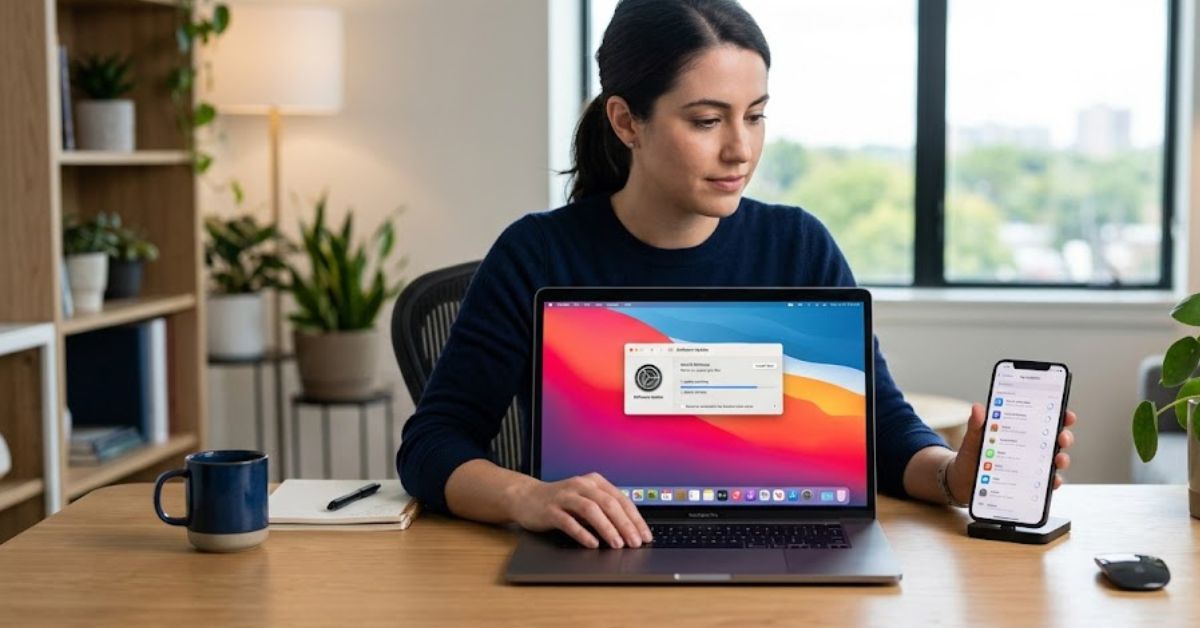
Software updates are designed to fix problems, improve performance, and close security vulnerabilities that hackers often exploit.
Enable automatic updates for your operating system, browser, antivirus software, and mobile apps. Delaying updates leaves devices exposed to known security flaws that attackers actively search for.
Installing updates regularly is one of the easiest cybersecurity tips to follow because it requires very little effort while providing significant protection.
Learn to Recognize Phishing Attempts
Phishing remains one of the most common forms of cybercrime because it targets human behavior instead of technology.
Attackers often send emails or messages pretending to be trusted companies, banks, or delivery services. These messages usually create urgency by claiming your account has been locked or that immediate action is required.
Before clicking any link, carefully check the sender’s email address, verify the website address, and avoid downloading unexpected attachments. If something feels suspicious, contact the organization directly using official contact information rather than replying to the message.
Protect Your Home Wi-Fi Network
A secure home network helps protect every connected device, including computers, smartphones, smart TVs, and home automation systems.
Change the default router password immediately after installation and use modern encryption such as WPA3 or WPA2 if WPA3 is unavailable. Keep the router’s firmware updated and disable features that you do not use.
These cybersecurity tips help prevent unauthorized users from accessing your network or monitoring your online activity.
Stay Safe on Public Wi-Fi
Public Wi-Fi networks in airports, hotels, cafés, and shopping centers are convenient but often less secure than private networks.
Avoid logging into banking accounts or entering sensitive information while connected to public Wi-Fi unless you use a trusted VPN. If possible, use your mobile data connection for financial transactions and other sensitive activities.
Always confirm that websites use HTTPS before entering passwords or payment details.
Download Software Only from Trusted Sources
Free software from unknown websites may contain hidden malware or unwanted programs that compromise your device.
Always download applications from official websites or trusted app stores. Read user reviews, verify the publisher, and avoid pirated software, which frequently contains malicious code.
Following these cybersecurity tips reduces the chances of installing harmful software that could steal personal information or damage your device.
Back Up Important Data Regularly
Hardware failures, ransomware attacks, accidental deletion, and natural disasters can all result in permanent data loss.
Create regular backups of important documents, family photos, work files, and financial records. Store copies both in secure cloud storage and on an external drive that remains disconnected when not in use.
Reliable backups allow you to recover quickly without paying criminals or losing valuable information.
Be Careful What You Share Online
Many cybercriminals collect information from social media profiles before launching targeted attacks.
Avoid publicly sharing personal details such as your home address, travel plans, financial information, or answers to common security questions. Even small pieces of information can help attackers impersonate you or guess account recovery answers.
Review your privacy settings regularly and limit who can view your personal information.
Secure Your Smartphone
Smartphones store emails, banking apps, passwords, personal photos, and work documents. Losing control of your phone can expose a large amount of sensitive information.
Protect your device with a strong screen lock, fingerprint, or facial recognition. Install updates promptly, review app permissions carefully, and download apps only from official app stores.
These cybersecurity tips are especially important because mobile devices are often used for both personal and business activities.
Monitor Your Accounts Regularly

Checking your accounts frequently helps you identify suspicious activity before it becomes a serious problem.
Review bank statements, online shopping accounts, email login history, and social media security alerts. If you notice unfamiliar logins or transactions, change your password immediately and report the activity to the service provider.
Early detection often prevents larger financial losses and identity theft.
Common Cybersecurity Mistakes to Avoid
Many security incidents happen because of simple mistakes that are easy to prevent. Reusing passwords across multiple accounts, ignoring software updates, clicking unknown links, downloading files from untrusted websites, and sharing too much personal information online all increase your risk.
Another common mistake is believing cybercriminals only target large companies. In reality, individuals are frequent targets because they often have weaker security habits. Building better routines today can prevent costly problems tomorrow.
Conclusion
Online threats continue to evolve, but good security habits remain the strongest defense. Small actions performed consistently make a significant difference in protecting your personal information, financial accounts, and digital identity.
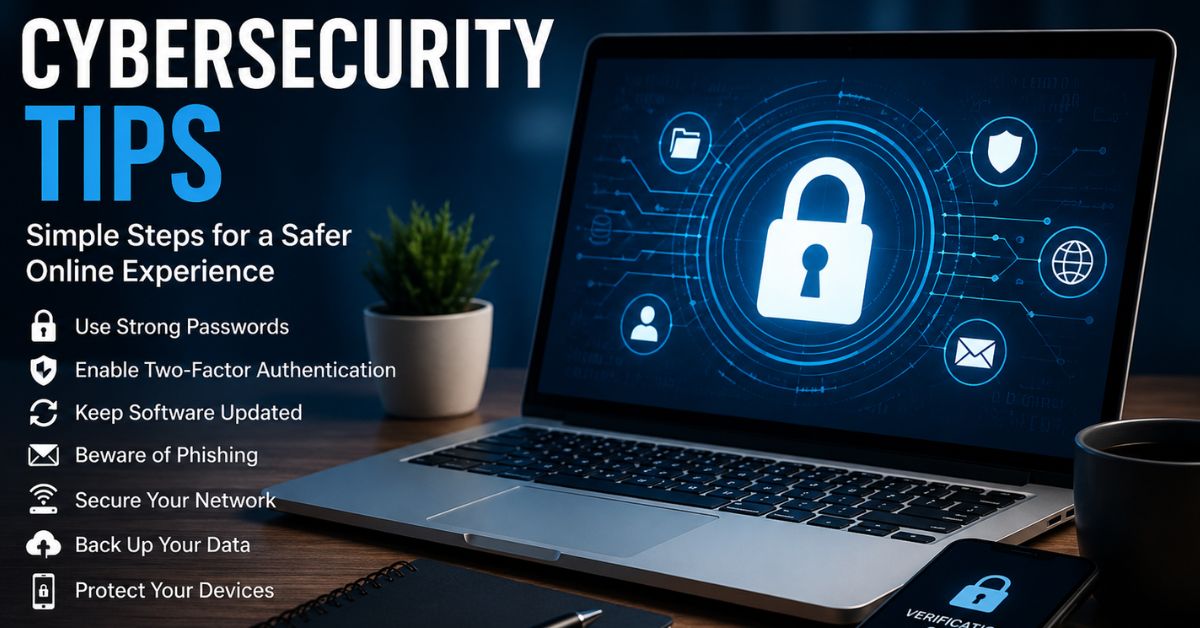
The best cybersecurity tips are practical, easy to follow, and effective over time. By using strong passwords, enabling multi-factor authentication, keeping software updated, recognizing phishing attempts, securing your network, and backing up important files, you create multiple layers of protection that make it much harder for attackers to succeed.
FAQs
What are the most important cybersecurity tips for beginners?
Start with strong passwords, enable multi-factor authentication, update your devices regularly, and avoid clicking suspicious links.
Why should I update my software frequently?
Updates fix security vulnerabilities and help protect your devices from newly discovered cyber threats.
Is public Wi-Fi safe for online banking?
Public Wi-Fi can be risky. Use a trusted VPN or switch to mobile data when accessing financial accounts.
How often should I back up my important files?
Back up valuable files regularly, especially after creating or updating important documents and photos.
Can antivirus software protect me from every cyber threat?
No. Antivirus software is helpful, but safe browsing habits, software updates, and strong passwords are equally important for complete protection.